
Quick answer: This guide explains live dealer blackjack: betting windows, dealing and settlement in plain language. Exact game rules, account terms, limits, and availability can vary, so the current screen and written terms should control.
Prepared by the Vegas11 Editorial Team. Sources and limits checked August 19, 2026.
Casino games involve financial risk. Adults 18+ only. Play only where permitted, set a fixed money and time boundary before playing, and do not chase losses.
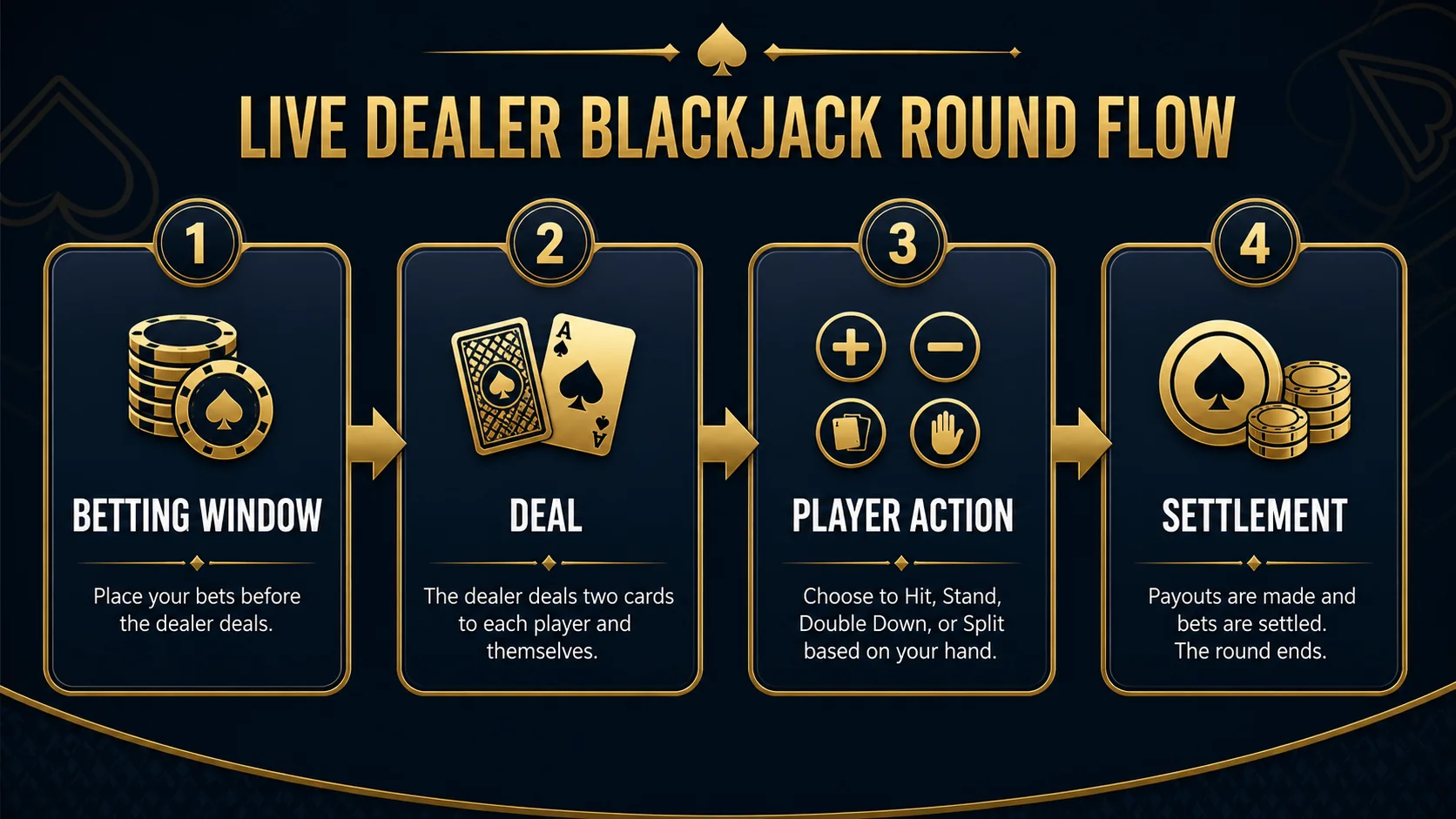
The round begins with a betting window
A live dealer blackjack round normally starts with a visible betting timer. During that window, the interface shows the table limit, available bet areas, and any side-bet options that the table supports. Once the window closes, the system may prevent new or changed wagers.
The timer is part of the table flow, not a reason to rush. If the limits, rules, or screen state are unclear, waiting for a later round is more useful than guessing what has been accepted.
| Term | What to read | What not to infer |
|---|---|---|
| Displayed rule | The exact game or account condition | That similar products use the same rule |
| Timing | When a choice or request is accepted | That a result or payment is due |
| Limit | Minimum, maximum, or time boundary | That more stake creates a better outcome |
| Settlement | How the final status is shown | That an animation or headline is proof |
Dealing and player choices
After the betting window, the dealer deals according to the table procedure. Player choices such as hit, stand, split, or double are shown only when the hand and rules permit them. A live stream adds a physical dealing sequence, but the action still depends on the displayed game rules.
The exact order can vary by product, especially when multiple seats are active. Read the hand panel and the table help rather than assuming that a familiar casino format uses identical procedures everywhere.
Dealer settlement is a separate stage
Once player actions are complete, the dealer follows the table rule for the hidden card and final hand. The interface then settles the main wager and any side bets. A winning side bet does not necessarily mean the main wager also won, and a hand result should not be read from the animation before the settlement message appears.
If a connection pauses, save the round information shown on screen and use the operator’s support route. A screenshot or round ID can be more useful than trying to reconstruct the result from memory.
| Before acting | Check | Keep a record of |
|---|---|---|
| Rules | The exact product or account wording | Version or update date |
| Money | Fees, stake, limit, or contribution | Amount and time boundary |
| Access | Verification, device, or support route | Ticket or round ID |
| Afterward | Settlement or account status | Screenshot or confirmation |
What to check before joining
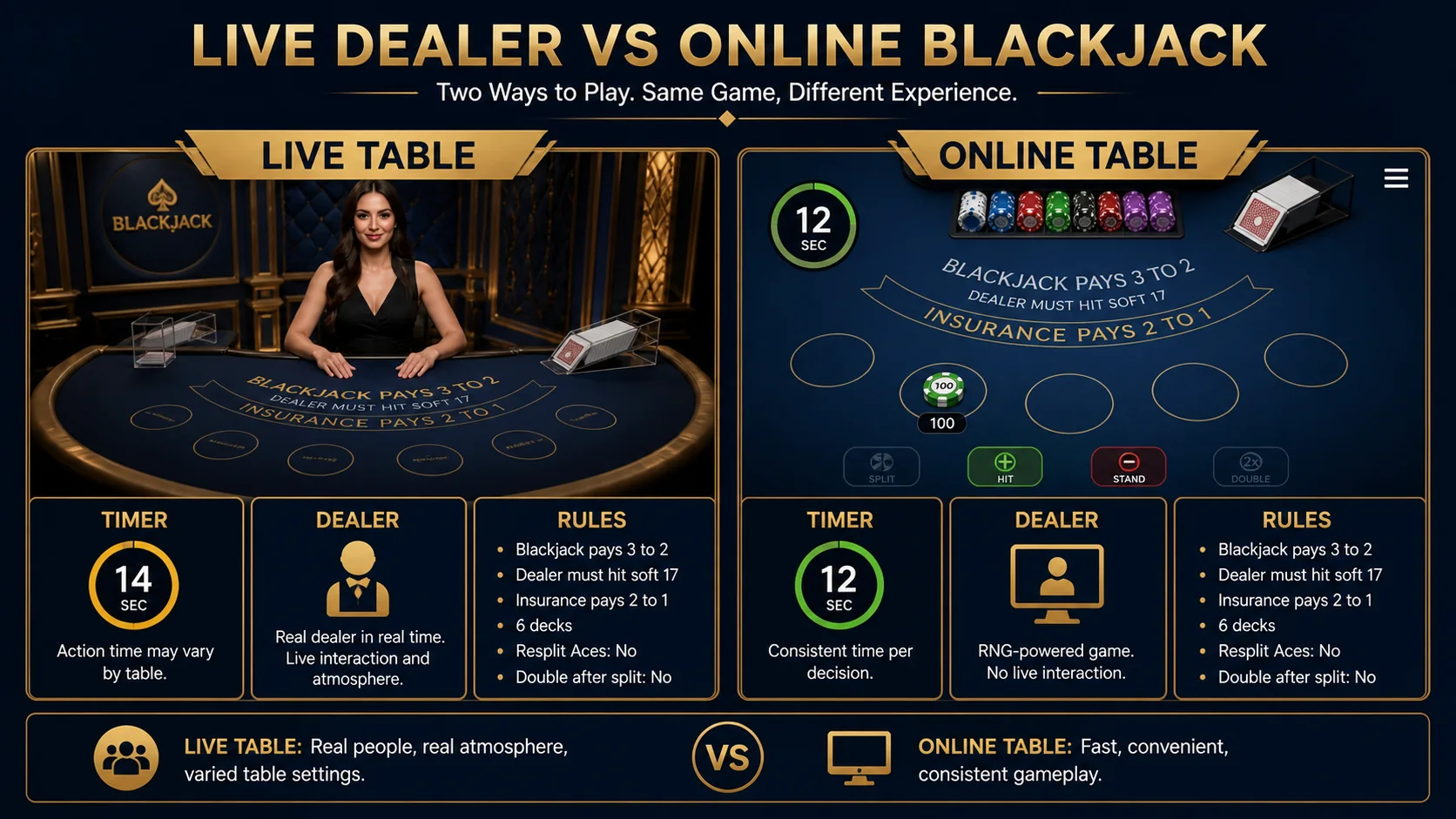
Review the minimum and maximum stake, the betting timer, the table’s blackjack payout, any side-bet rules, and the rules for disconnection or delayed settlement. Also check whether the table is appropriate for your fixed time and money boundary.
Live presentation changes the pace and information display. It does not remove the need to read the rules or make a session plan.
Frequently asked questions
Do the displayed terms apply everywhere?
Not necessarily. The exact game, account, operator, market, and current version control the terms.
Can one number predict my session?
No. A published figure describes a defined rule set or long-run concept, not an individual result.
What if a rule is unclear?
Pause and use the official help or support route before acting.
Should I save the terms?
Yes. Keep the version date, screenshot, confirmation, or ticket number when available.
What is the practical control?
Set a fixed money and time boundary and stop when either boundary is reached.
Source and update note
This article is informational and time-qualified. Current game, account, payment, and responsible-play terms control over this general explanation. Sources checked: source 1.